OAuth 2.0
Authorization code with PKCE, refresh tokens, and client credentials.
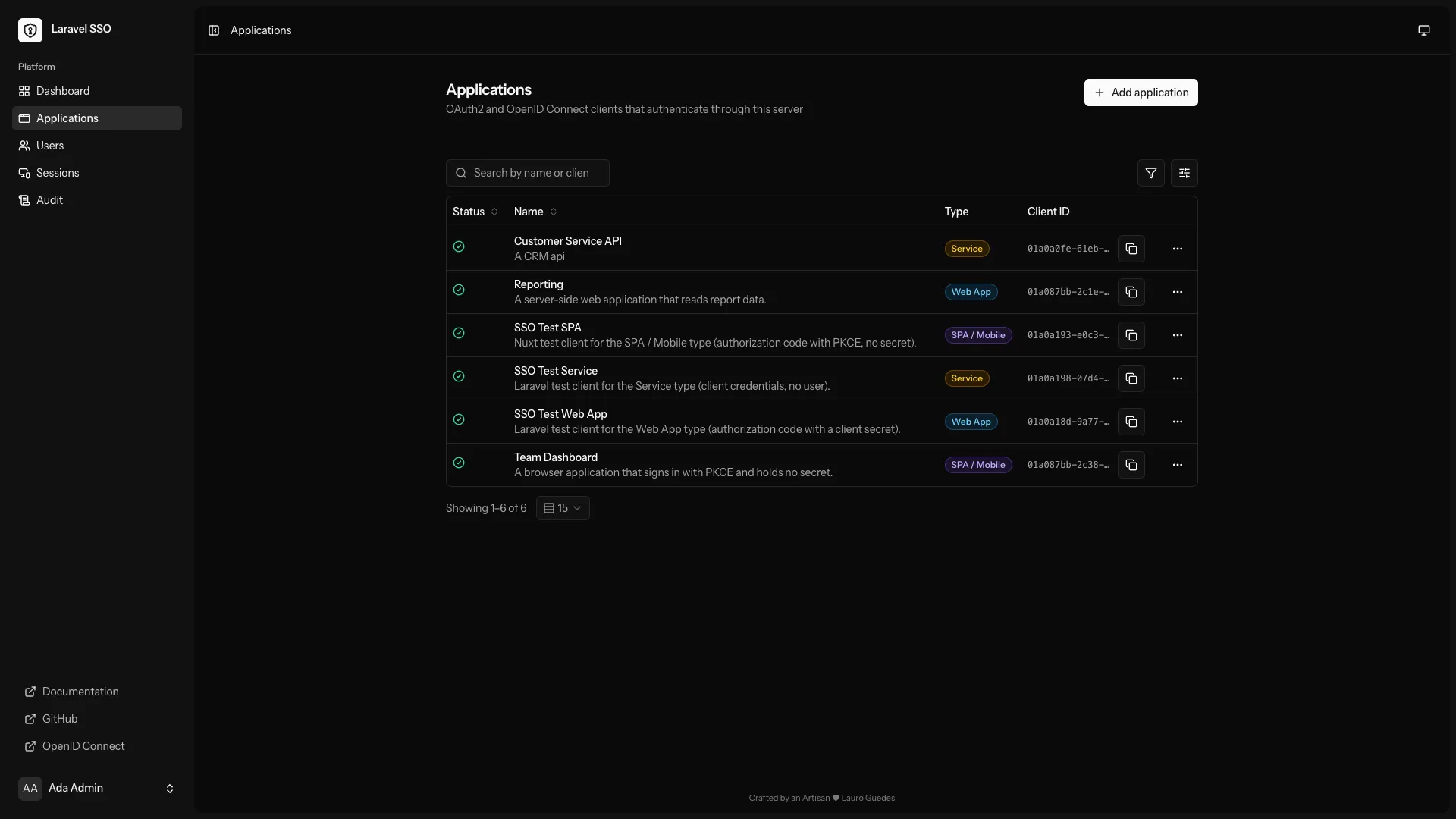
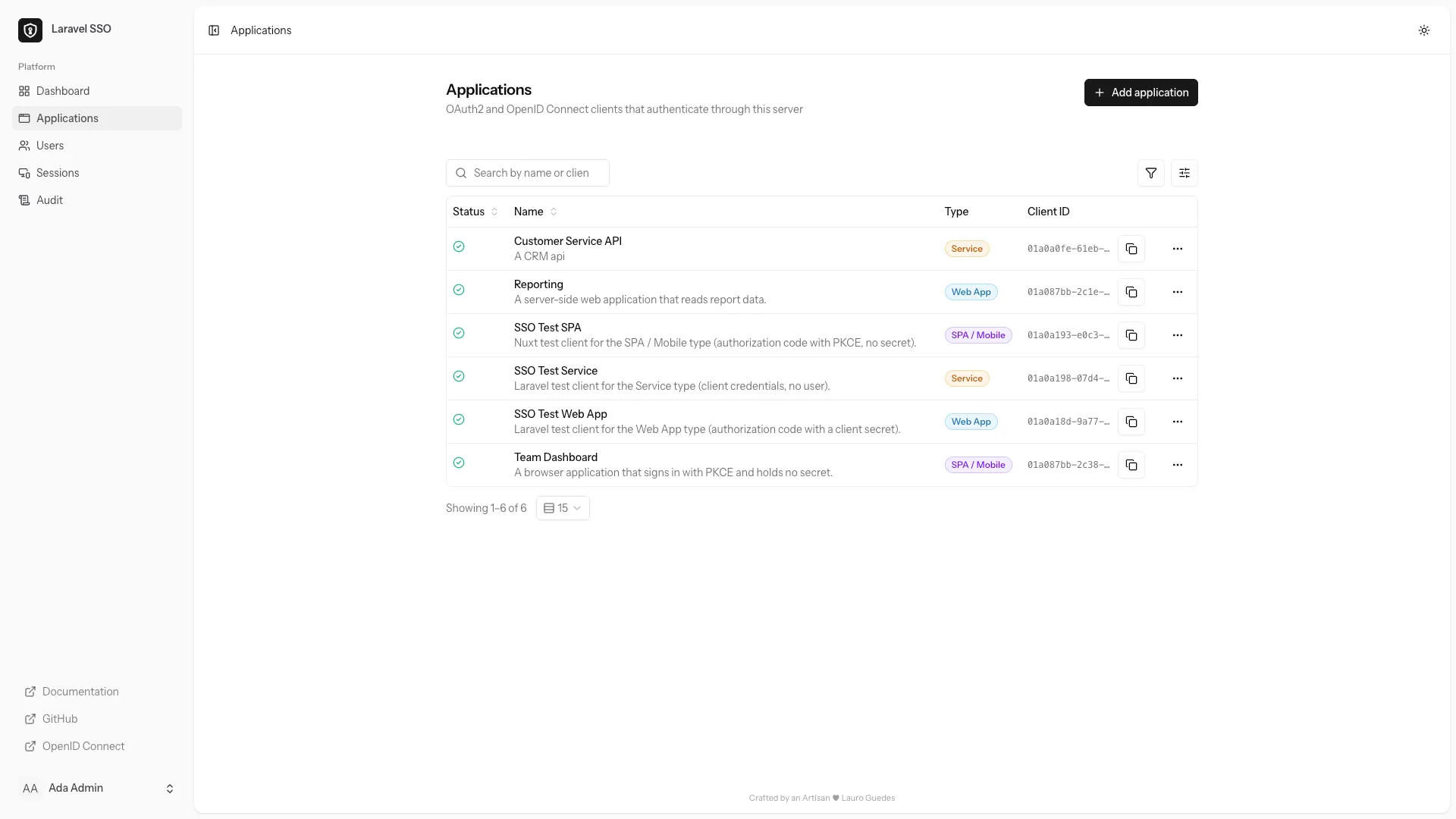
Your users get one account and one familiar sign-in page. Your applications get a signed identity, standard tokens, and no password to store.
Every application defines its own roles. Tokens carry only the roles a user holds there, so one app never learns about another.
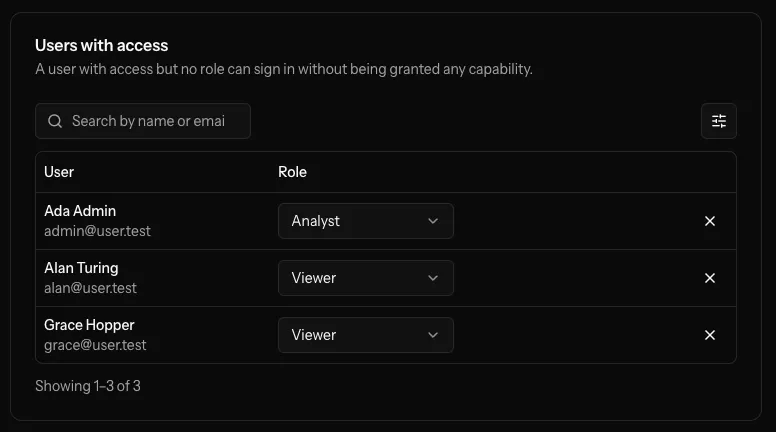
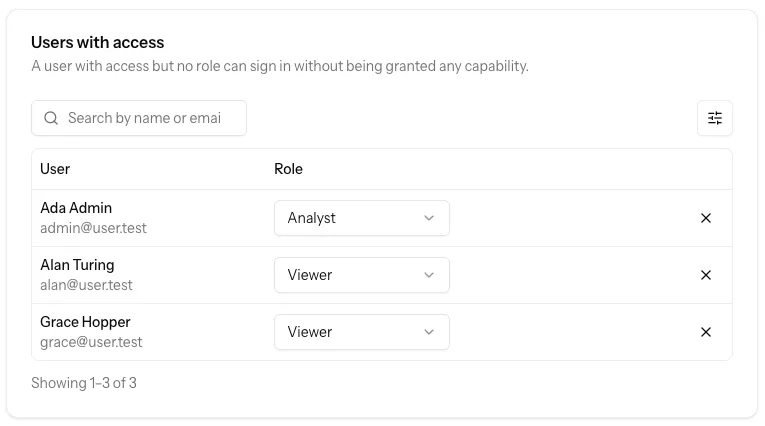
The whole protocol surface, and the interface to run it day to day. Read the code, change what you need, deploy it as your own.
Authorization code with PKCE, refresh tokens, and client credentials.
Discovery, published keys, ID tokens, UserInfo, introspection, revocation and logout.
Every application gets its own credentials, redirect URIs and scopes. Secrets hashed, redirects matched exactly.
Defined by the application that owns them, carried in that application's tokens, invisible to every other one.
Password resets, two-factor authentication, passkeys, and verified email.
Hand a developer one application without handing over the server.
Revoke sessions and tokens. See who did what, from where, and when.
Brand, palette and layout, changed from the interface or pinned in the environment.
Installation to integration, served from your own server at /docs.
Three commands to your own identity provider. No vendor account, no hosted tier to graduate from.
Clone the repository and move into your new project.
git clone https://github.com/lauroguedes/laravel-sso
cd laravel-ssoDependencies, environment, database and a built front end, in one command.
composer setupSigning keys, platform roles, your first administrator, and the endpoints your applications need.
php artisan sso:installThe installer generates your signing keys, seeds the platform roles, offers to create your first administrator, and prints the endpoints your applications need. It is safe to run again.
Register an application and hand its developer the issuer and its credentials. Most libraries need nothing else — they read the rest from the discovery document. Nothing on the other end has to be Laravel. Or even PHP.
// config/services.php — add this entry to the returned array:
'openidconnect' => [
    'base_url'      => env('SSO_ISSUER'),
    'client_id'     => env('SSO_CLIENT_ID'),
    'client_secret' => env('SSO_CLIENT_SECRET'),
    'redirect'      => env('SSO_REDIRECT_URI'),
],

// In your controllers: use Laravel\Socialite\Facades\Socialite;

// Login action:
return Socialite::driver('openidconnect')->redirect();

// Callback action:
$identity = Socialite::driver('openidconnect')->user();
$subject = $identity->getId();
Install socialiteproviders/openidconnect and add the configuration shown above to config/services.php. Use the redirect and callback excerpts in separate controller actions with Laravel’s web middleware. Match the returned subject and issuer to a local account before signing the user in.
socialiteproviders/openidconnectimport * as oidc from 'openid-client';
const config = await oidc.discovery(
new URL(process.env.SSO_ISSUER),
process.env.SSO_CLIENT_ID,
process.env.SSO_CLIENT_SECRET,
);
// Generate separately for each login; save in the user's session.
const verifier = oidc.randomPKCECodeVerifier();
const challenge = await oidc.calculatePKCECodeChallenge(verifier);
const authorizationUrl = oidc.buildAuthorizationUrl(config, {
redirect_uri: process.env.SSO_REDIRECT_URI,
scope: 'openid profile email',
code_challenge: challenge,
code_challenge_method: 'S256',
});import os
from flask import Flask
from authlib.integrations.flask_client import OAuth
app = Flask(__name__)
app.secret_key = os.environ['FLASK_SECRET_KEY']
oauth = OAuth(app)
oauth.register(
name='sso',
client_id=os.environ['SSO_CLIENT_ID'],
client_secret=os.environ['SSO_CLIENT_SECRET'],
server_metadata_url=(
os.environ['SSO_ISSUER'].rstrip('/')
+ '/.well-known/openid-configuration'
),
client_kwargs={
'scope': 'openid profile email',
'code_challenge_method': 'S256',
},
)package auth
import (
"context"
"os"
"github.com/coreos/go-oidc/v3/oidc"
"golang.org/x/oauth2"
)
func Configure(ctx context.Context) (*oauth2.Config, *oidc.IDTokenVerifier, error) {
provider, err := oidc.NewProvider(ctx, os.Getenv("SSO_ISSUER"))
if err != nil { return nil, nil, err }
config := &oauth2.Config{
ClientID: os.Getenv("SSO_CLIENT_ID"),
ClientSecret: os.Getenv("SSO_CLIENT_SECRET"),
RedirectURL: os.Getenv("SSO_REDIRECT_URI"),
Endpoint: provider.Endpoint(),
Scopes: []string{oidc.ScopeOpenID, "profile", "email"},
}
verifier := provider.Verifier(&oidc.Config{ClientID: config.ClientID})
return config, verifier, nil
}# Replace this with your Laravel SSO server URL.
export SSO_ISSUER="https://auth.example.com"
curl --fail --silent --show-error \
"$SSO_ISSUER/.well-known/openid-configuration"
# Your OIDC library discovers these URLs from the JSON:
# authorization_endpoint, token_endpoint, jwks_uri,
# userinfo_endpoint and end_session_endpoint.From licensing to your first connection. A few answers before you get started.
An application, not a dependency. Start from it with laravel new my-sso --using=lauroguedes/laravel-sso, or clone the repository, and the code is yours from that moment: your routes, your migrations, your deployment. Nothing upgrades the identity layer underneath you, which also means updates are yours to pull in, the way they are for the rest of your application.
Yes. Laravel SSO is MIT licensed: use it, change it, ship it inside a commercial product, keep your changes private. The only obligation is to retain the licence notice.
No. Applications connect over standard OpenID Connect, so any maintained client library will do — Laravel, Node, Python, Go, .NET, a mobile app, a single-page app. Point it at your issuer URL with the credentials you registered; most libraries read everything else from the discovery document.
On infrastructure you choose. You host the application and its database, and nobody else holds your users, your applications or your signing keys. It runs anywhere Laravel runs, on SQLite, MySQL, MariaDB or PostgreSQL.
No SAML, no LDAP, and no federation between providers. This is an identity provider for the applications you run, not an enterprise IAM platform — the feature list stops roughly where the OAuth 2.0 and OpenID Connect specifications do.
Keycloak does considerably more: realms, SAML, LDAP, identity brokering, federation. If you need those, use it. Laravel SSO covers OAuth 2.0 and OpenID Connect and stops there, which is why it fits in a Laravel application you can read, change and deploy yourself — and why there is no new runtime, admin console or configuration language to learn.
Clone it, read it, deploy it. From here, the identity layer is one more application you own.